Our phone-buying team works from a counter inside Cash Generator on Church Street — every device is graded face-to-face, with the offer broken down before you decide.
Visit PhonesForCash in St Helens
PhonesForCash operates from inside Cash Generator at 41 Church Street in St Helens town centre. Walk-ins are welcome and no appointment is needed — payment is by cash or bank transfer once you accept an offer.
PhonesForCash at Cash Generator St Helens
41 Church Street, St Helens, WA10 1AX
- Opening Hours: Mon–Sat 9:30am–5:30pm · Sun 10:00am–4:00pm
- Phone: 01744 775978
- Email: sthelens@cashgenerator.co.uk
- Finding us
- Look for the Cash Generator storefront on Church Street. PhonesForCash operates inside.
- Getting here
- Approximately two minutes' walk from St Helens Bus Station and around eight minutes' walk from St Helens Central.
- Parking
- Convenient town-centre parking is available at Tontine Multi-Storey Car Park, with additional public parking around Chalon Way and the Hardshaw Centre. Parking availability and charges may change, so check local signage before leaving your vehicle.
Inside Our St Helens Store

Our Store Exterior

Phone Buying Counter
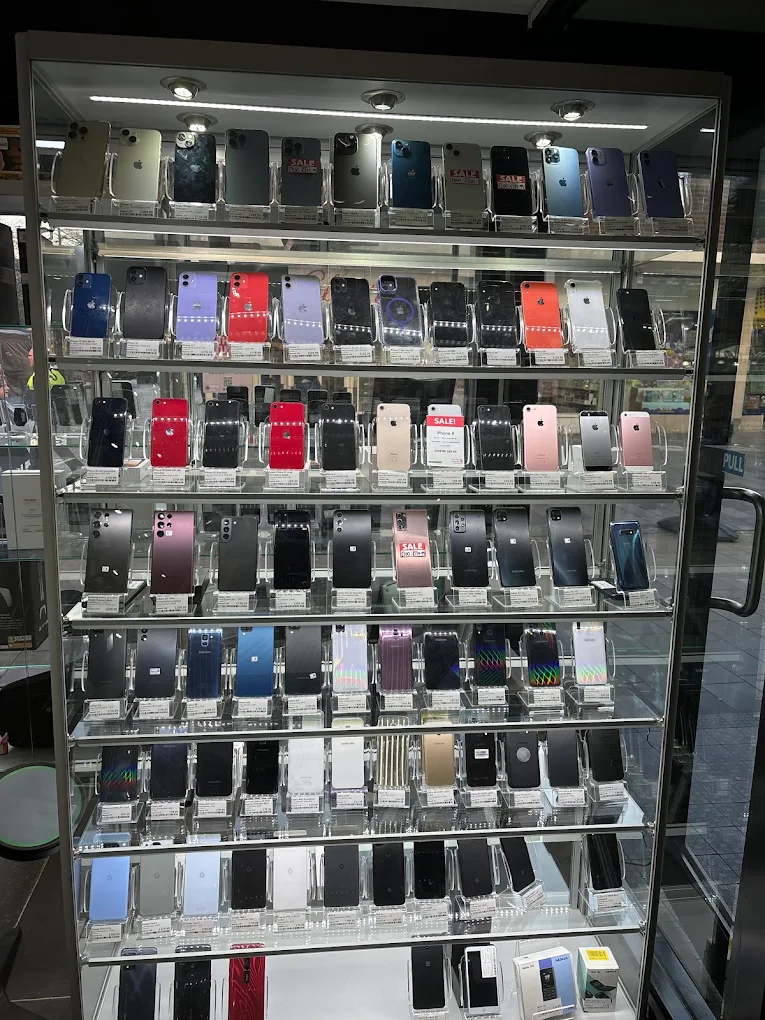
Product Displays
Common faults we still buy
Most faults reduce the offer rather than rule the device out completely. Even Face ID failure or a non-working rear camera leaves an otherwise functional phone with strong parts value.
- Random reboots or boot loops
- Face ID stopped working ('Face ID not available')
- No signal / no service after iOS update
- Speaker crackling or microphone faults
- Rear camera autofocus failure
- Charging only at certain angles
- Touch ID failure (older models)
- iOS stuck or won't update
Software vs hardware
Plenty of 'faults' turn out to be software issues that a clean restore fixes — we can usually tell within a few minutes at the counter. If it's a hardware fault we factor in the realistic repair cost; if it's a software fix the offer goes up accordingly.
What to bring
Charging cable if you have it, Apple ID password (so we can sign out of iCloud together if needed), photo ID, and a quick description of when the fault started. The more context, the more accurate the quote.